Funny Camera - Photo Editor
- 4.6
- Rating
- 5.00M
- Installs
- Free
- Price

 Analysis by App-foxy
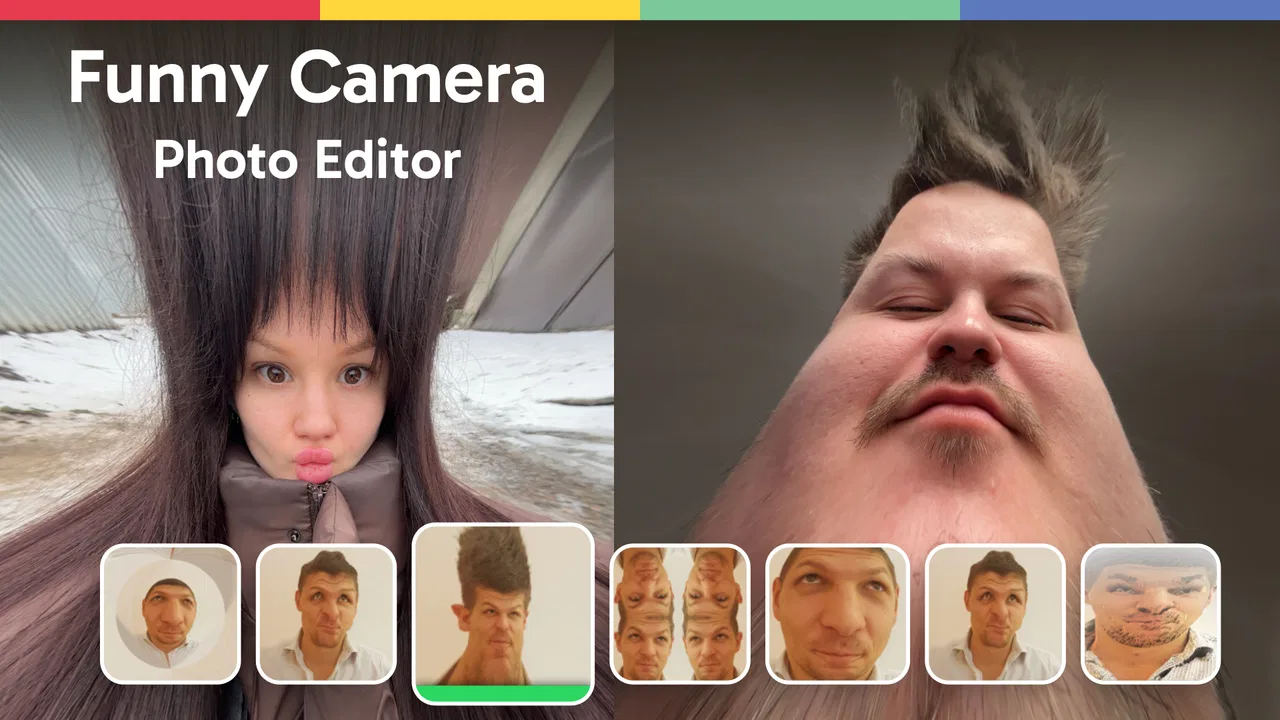
I enjoy photo editors that understand their purpose instead of trying to become an entire design studio. Funny Camera - Photo Editor is built around a simpler idea: take an ordinary picture, apply a playful effect, and turn it into something worth sharing. I found it most useful when I wanted a quick laugh rather than a carefully polished portrait. It belongs to the photography category, is free to install, and is suitable for everyone, so it is easy to approach even if you have never used a photo editor before.
The app comes from Photo & Video Editors - Instant Solution, and its long presence on Android is reflected in its release history. It first appeared on October 19, 2015, while the current version is 6.0.1 and requires Android 7.0 or later. Its average rating sits at 4.6 from around 9.6 thousand ratings, and it has passed one million installs. Those figures suggest that the basic concept has found a steady audience, although popularity alone does not make every effect equally useful.
How I use it for a quick, funny edit
My normal workflow starts with a deliberately simple goal. I choose a photo with a clear face or an obvious subject, open the effect options, and test the strongest-looking transformations first. This matters because humorous editing depends more on the original image than many people expect. A front-facing photo with a relaxed expression usually gives a more readable result than a dark group shot or a picture where the subject is already very small.
You May Also Like

 Blood Strike: 2.5 Anniversary
Blood Strike’s Loadouts Turn Every Drop Into a Tactical Gamble
A close look at Blood Strike’s custom loadouts: how fast access to signature weapons reshapes its battle royale rhythm, rewards preparation, and narrows the gap between fights.

 Pandora - Music & Podcasts
Pandora’s Music Is Easy to Start, but Harder to Recover
Pandora’s strength is its low-effort path from a seed to a station. Its weak spot is how much confidence it asks you to place in connection, setup, and quiet recovery.

 8 Ball Pool
 Is Built on Rivalries, Rematches, and Routine
A close look at the rivalries, rematches, shared routines, and unanswered safety questions that turn a quick pool match into a persistent mobile community.

 Samsung Music
’s Quiet Strength Is Playing What You Already Own
Its reach comes less from spectacle than from dependable access to a personal library. That simplicity is both the app’s strongest retention engine and its ceiling.

 AccuWeather: Weather Radar
AccuWeather Review: A Quick, Clear Forecast for Everyday Decisions
For everyday plans, the best forecast is the one you can understand quickly. AccuWeather makes rain timing, radar, and local conditions easy to act on, with a few trade-offs.

 Hill Climb Racing
Why Hill Climb Racing Still Turns Crashes Into One More Run
A tiny car, a bumpy hill and one more upgrade: Hill Climb Racing keeps resurfacing because its simple chaos makes every near-miss feel personal.
More From Our News Desk



Rather than applying the first effect and saving immediately, I compare several options while keeping the same source image. That small habit makes it easier to tell whether an effect is genuinely funny or merely surprising for a second. I also look at the edges of the frame. A distorted face can work well in the center but become awkward if the effect cuts off hair, glasses, or another person standing nearby.
The best everyday scenario for me is sending a quick message to a friend. Suppose someone shares a normal selfie in a group chat. I can use that picture as the starting point, try a comic transformation, and save a playful reply without opening a full editor with timelines, layers, and a long list of professional controls. The result is not meant to replace a serious portrait edit; it is a visual joke that takes very little preparation.
That focus is also the app’s main strength. Traditional photo editors often make you adjust exposure, contrast, color, cropping, and retouching before you reach the creative part. Here, the amusing treatment is the center of the experience. For children, families, casual social posts, and private jokes, that directness is more valuable than a large toolbox.
The useful mindset is to treat each effect as a starting point for a joke, not as an automatic improvement to the photograph. A funny edit does not have to make the subject look better. It has to make the intended reaction clear. That distinction helps prevent the common mistake of choosing the most extreme distortion simply because it is the most noticeable.
Checking the image before editing
I get better results when I prepare the source photo first. A face that is reasonably well lit gives the effect more visual information to work with, while a heavily shadowed image can make the transformation look muddy. I also avoid photos with busy backgrounds when I want the face to remain the focus. If the background is already chaotic, the joke can become difficult to understand at a glance.
For a group picture, I decide whether the humor should involve one person or everyone. If the effect changes the whole frame, placing several faces at different distances can produce uneven results. In that situation, a single-person photo is usually the safer choice. This is not a limitation that appears in a feature list; it is simply a practical editing lesson that becomes obvious after trying different source images.
I also keep the original photo untouched. The sensible routine is to edit a copy, review the saved result, and only then decide whether it deserves to be shared. Funny images are often made quickly, and a rushed save can make it harder to return to the clean original when I want to try a different idea.
Settings and choices worth checking
Funny Camera - Photo Editor is not the kind of application I open for a long technical setup, but I still pay attention to the choices available around the effect itself. The first is intensity. When an effect offers more than one level of distortion or adjustment, a moderate setting is often funnier than the maximum. A small change can preserve enough of the person’s identity for the joke to land, while an extreme result may look random.
The second choice is framing. Before committing to an edit, I check whether the face sits comfortably inside the visible area. A close crop can make a facial effect more expressive, but it can also remove the context that explains why the image is funny. For reaction images, I usually prefer a crop that leaves a little space around the subject so the result does not feel accidentally cut off.
The third is the destination for the finished image. I think about whether I am making something for a private conversation, a profile post, or a larger screen. A quick chat image can be judged at a small size, while a picture intended for a public feed needs cleaner edges and a more deliberate composition. I do not assume that every amusing preview will remain readable after being reduced.
Because the app is free, it is easy to start experimenting without a purchase commitment. However, in-app purchases range from $0.99 to $99.99 per item. That is a wide span, so I would inspect any purchase prompt carefully rather than tapping through it automatically. The free starting point is appealing, but users should still keep an eye on which effect or option is being selected if the app presents paid content alongside the basic experience.
For a family device, the Everyone content rating is reassuring, especially when the app is used for harmless jokes among relatives. Even so, an age rating does not replace common sense. I would still avoid editing someone’s photo in a way that could embarrass them, particularly if the result might be shared beyond a private conversation. The app makes humorous editing easy; deciding where the boundary sits remains the user’s responsibility.
Repeatable habits that make editing faster
After using the app several times, I found that speed comes from reducing decisions, not from rushing through them. I keep a small mental shortlist of source photos that work well: clear faces, simple backgrounds, and expressions that already have some personality. When a friend asks for a funny edit, I can choose a suitable image immediately instead of testing every picture in my gallery.
Another useful pattern is to make a small comparison set. I apply a few different effects to the same image, save only the strongest candidates, and review them together. This prevents me from forgetting what the original looked like and makes the final choice less dependent on the novelty of the first preview. It is particularly helpful when several effects are amusing in different ways.
I also use a two-stage decision. First I ask, “Is this visually funny?” Then I ask, “Would the person in the picture find it funny?” Those questions are not identical. A dramatic distortion may be entertaining to me but uncomfortable for the subject. This habit is one of the most important ways to use a playful camera app responsibly, especially when editing pictures of friends or family.
For recurring situations, I keep the workflow consistent: select a copy, test a moderate effect, inspect the crop, preview the result at a smaller size, and save only after checking the whole frame. That sequence sounds basic, but it avoids several common problems, including a joke that works only when zoomed in or a face that is partly hidden by the edge of the image.
There is also a practical advantage to not over-editing. If I stack too many visual ideas into one picture, the viewer may not know where to look. A single strong transformation usually communicates faster than a crowded composition. The app is at its best when I let one effect carry the joke instead of trying to imitate a complete meme-making suite.
Where it stands beside ordinary photo editors
Compared with a general-purpose editor, this app is quicker for one specific task: turning a normal photograph into a humorous image. A conventional editor is better when I need precise cropping, color correction, blemish removal, text placement, or a carefully controlled portrait. Those tools offer more flexibility, but they also require more time and a clearer understanding of what each control does.
Compared with camera applications that focus on filters while taking the picture, this editor makes more sense when the image already exists in my gallery. I can revisit an older photo and give it a new purpose instead of waiting for the right moment to capture a live effect. That makes it useful for birthdays, group chats, throwback pictures, and quick replies where the source image is already available.
It is less suitable for users who want a complete social content workflow. If your priority is polished typography, layered compositions, detailed retouching, or consistent branding, a dedicated design or portrait application will be a better fit. I would also choose another editor for professional-looking client images, because comedy effects and controlled photographic finishing serve very different goals.
The trade-off is clear: this app sacrifices broad editing depth for immediacy. I see that as a fair exchange, provided I install it for playful transformations rather than expecting a full studio. The store summary describes funny effects, and that is the right expectation to bring to it. Problems begin only when someone judges it for not behaving like an advanced editor.
Limits I noticed when pushing the idea further
The app’s narrow purpose can become repetitive if I use it every day. A funny effect feels fresh when it responds to a particular photo or conversation, but the novelty fades when the same style is applied without a reason. I get more value by opening it occasionally for a specific image than by treating it as my default camera or daily editor.
Results can also vary with the source material. A face turned sharply to one side, partly covered by an object, or placed far from the camera may not produce the same readable humor as a centered portrait. That does not mean the app has failed; it means the input is working against the kind of transformation the app is designed to deliver. Choosing a better photo is often more effective than repeatedly changing effects.
I would be cautious with images that contain several people. A visual joke aimed at one person can unintentionally alter another person’s appearance, and a whole-group distortion may make the final picture confusing. For that reason, I prefer single-subject photos when the result is meant to be shared publicly. For private use, I still ask permission if the edit could make someone uncomfortable.
Storage and sharing habits matter as well. I do not keep every failed experiment, because a gallery filled with near-identical edits becomes difficult to manage. I save the best version, remove the obvious misses, and keep the original separately. This simple cleanup routine is especially useful when testing several effects on one photograph.
Users on older Android devices should also keep expectations realistic. The minimum operating system is Android 7.0, which gives the app a fairly broad compatibility range, but smoothness can still depend on the phone and the size of the source image. If an edit feels slow, I would try a smaller picture and close other demanding applications before blaming the effect itself.
Another point concerns spending. Since the app is free but includes optional purchases, I would not assume every visible option follows the same access model. I would explore the no-cost tools first and decide whether the app already meets my needs before considering an upgrade. For occasional jokes, the free entry point may be enough; frequent users should judge paid options by how often they will genuinely use them rather than by the size of the effect collection.
Who will enjoy it most
I recommend it to someone who wants a low-pressure way to make amusing images from existing photos. It suits casual Android users, families looking for a simple activity, and friends who enjoy sending visual reactions instead of another line of text. The Everyone rating also makes it approachable for mixed-age households, although adults should guide younger users about consent and respectful sharing.
It is a particularly good match for people who feel overwhelmed by advanced editors. There is no need to learn a complicated retouching workflow before seeing a result. You can start with a familiar picture, try a playful treatment, and decide quickly whether the idea works. That immediate feedback is more inviting than a professional interface when the goal is simply to have fun.
I would skip it if my main need is accurate photography. It is not the first tool I would choose for correcting lighting, preparing product images, making formal invitations, or producing a consistent set of business portraits. In those cases, control and repeatability matter more than an amusing transformation, so a conventional photo editor will serve you better.
I would also skip it if I dislike experimenting with images or if I need every edit to look natural. The appeal here comes from visible change. Someone seeking subtle enhancement may find the app’s personality distracting rather than useful.
My verdict after building a reliable routine
Funny Camera - Photo Editor works because it keeps the promise small and clear. I open it when a regular photo needs a playful twist, not when I need a complete photography workstation. The strongest results come from choosing a suitable source image, testing a few effects instead of accepting the first one, checking the crop, and thinking about the person who will receive the finished picture.
Its free availability makes trying it easy, while optional purchases mean I would pay attention during the editing process. The 4.6 average and more than one million installs show that many Android users have found value in this straightforward approach, but my recommendation is still based on fit: it is enjoyable when you want fast visual humor and limited when you want detailed control.
For me, the app earns a place as a lightweight tool for private jokes, friendly reactions, and occasional family entertainment. I would not replace a full photo editor with it, and I would not use every effect simply because it is available. Used selectively, with a repeatable workflow and a little consideration for the subject, it turns ordinary pictures into quick, shareable moments without making the process feel like work.
FAQs for Funny Camera - Photo Editor
01What features does Funny Camera - Photo Editor offer?
Funny Camera - Photo Editor provides a range of features including hilarious face filters, stickers, and effects that transform your photos into amusing creations. It also includes basic editing tools for cropping, adjusting brightness, and enhancing images. The app supports both selfies and regular photos, allowing for creative freedom.
02Is Funny Camera - Photo Editor free to use?
Yes, Funny Camera - Photo Editor is free to download and use, offering a variety of features at no cost. However, some premium filters and effects may require in-app purchases. Users can choose to upgrade for an ad-free experience and access to exclusive content.
03Is Funny Camera - Photo Editor suitable for all ages?
Funny Camera - Photo Editor is designed to be family-friendly and suitable for users of all ages. Its intuitive interface makes it easy for children and adults alike to use. Nevertheless, parental guidance is advised for younger users, especially regarding in-app purchases.
04Does Funny Camera - Photo Editor require an internet connection?
While many features of Funny Camera - Photo Editor can be used offline, an internet connection is necessary to download additional filters, stickers, and updates. Also, online access is required for sharing your edited photos directly to social media platforms.
05How does Funny Camera - Photo Editor handle user privacy?
Funny Camera - Photo Editor is committed to user privacy and does not store photos on its servers. The app requests permissions to access your camera and photo library solely for editing purposes. Users are encouraged to review the app's privacy policy for detailed information on data handling.
Pros
- User-friendly interface for easy editing.
- Wide variety of fun filters and effects.
- Fast processing and quick save options.
- Supports multiple image formats.
- Regular updates with new features.
Cons
- Contains ads that may disrupt editing.
- Requires internet for full functionality.
- Limited free features
- in-app purchases needed.
- Some effects reduce image quality.
- Occasional app crashes on older devices.

Funny Camera - Photo Editor
Gallery